/ tools / lux
 lux
Record your calls, read them back, and never take notes again. Lux keeps your voice and everyone else's as separate tracks, transcribes them on your own computer, and has Claude write the summary, the decisions and the action items. And it types what you say into any app: a press of a key, talk, done.
Record a call, get the summary
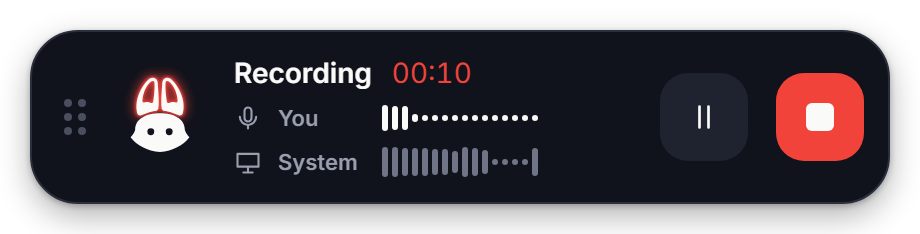
Press Ctrl+Alt+T (Ctrl+Option+T on a Mac) and Lux records the call. A small pill at the top of your screen shows the
time and who's talking, and never takes the keyboard away from the app you're in. Stop, and Lux transcribes the call on
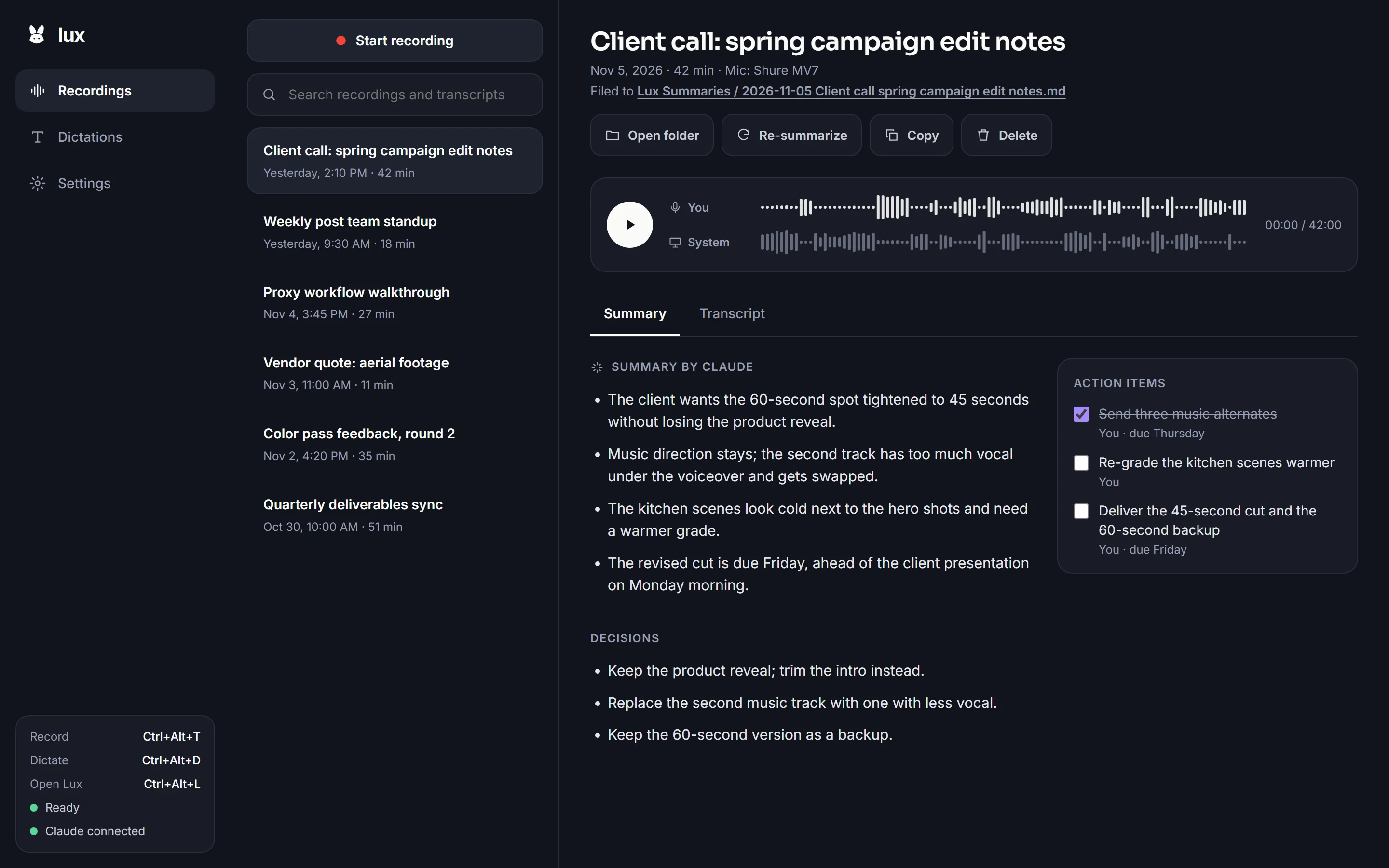
your computer, works out who said what, and has Claude write the summary, the decisions and the action items.
Who said what
Lines are labelled You, then Speaker 1, Speaker 2 and so on for the other people. Lux can tell several voices apart on the call. Click a label to give them names: the transcript, the summary and its file all update.
Claude's summary
A title, a short recap, the decisions made, and the action items with who's doing what and by when. No made-up emails, just what was said.
Search everything
The search box looks through every transcript. Click any line to play the call from that moment.
Dictate anywhere
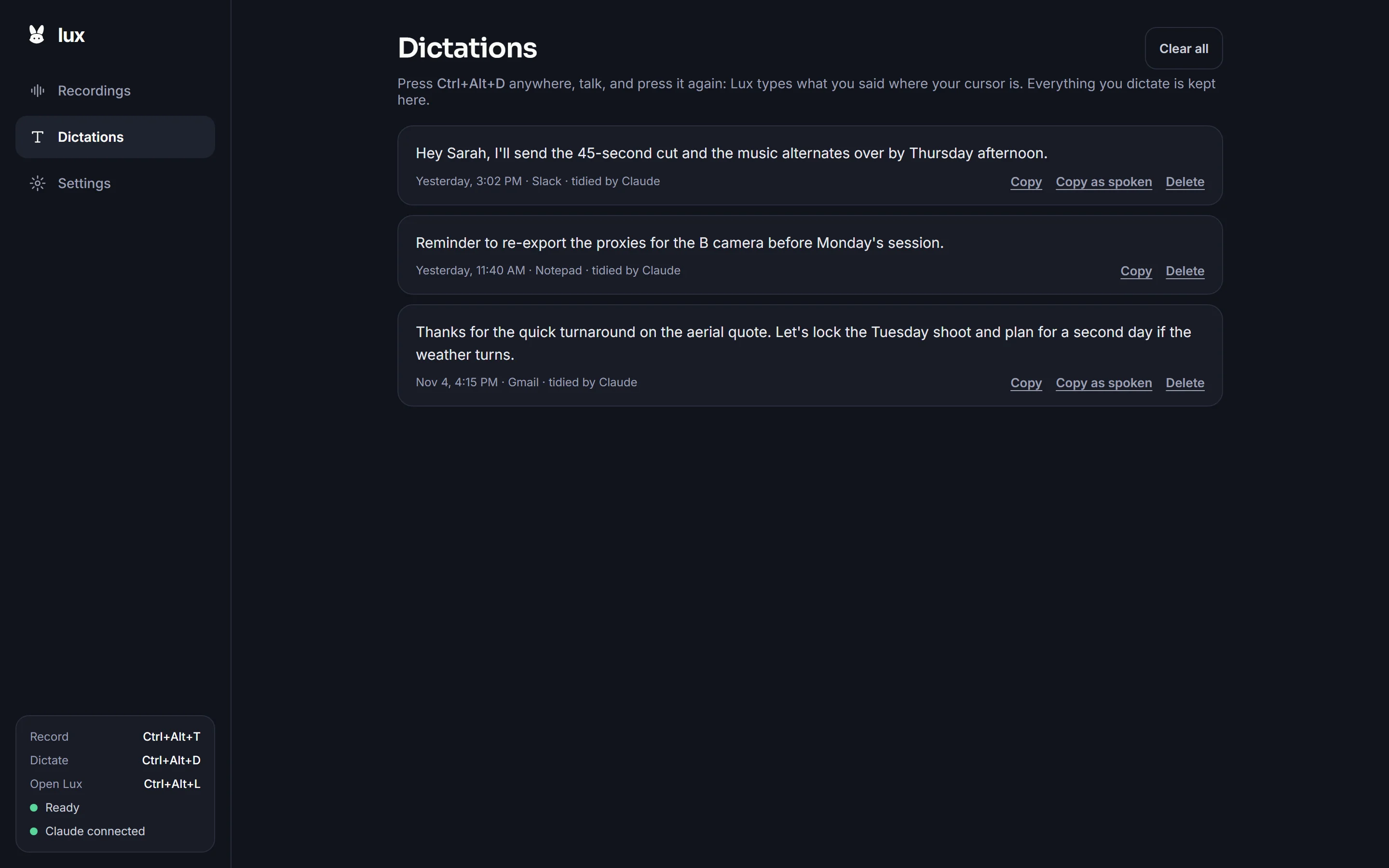
Click into a chat box, an email or a document, press Ctrl+Alt+D (Ctrl+Option+D on a Mac), talk, and press it again.
Your words appear where the cursor is. Or hold the keys while you talk and let go. Turn on Tidy up with Claude
and the ums and uhs are gone before it's typed.

Inside the app
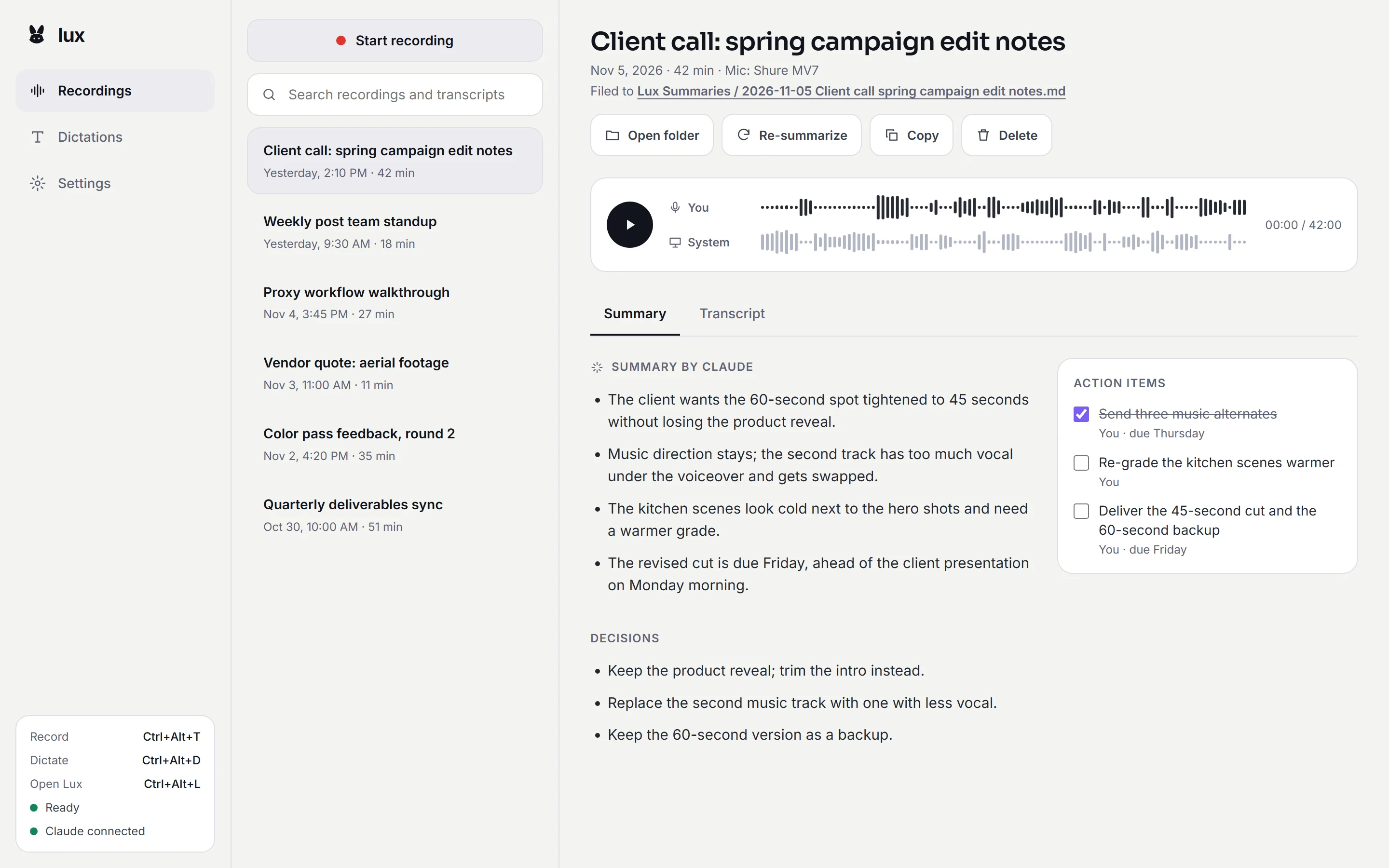
Ctrl+Alt+L (Ctrl+Option+L on a Mac) opens Lux: every call and every dictation, in one window.
"Looks like a call started"
When Teams, Zoom, Meet or another call app turns your mic on, Lux offers to record it. It never starts on its own, and when the call app lets go of the mic, Lux offers to stop.

On your Stream Deck
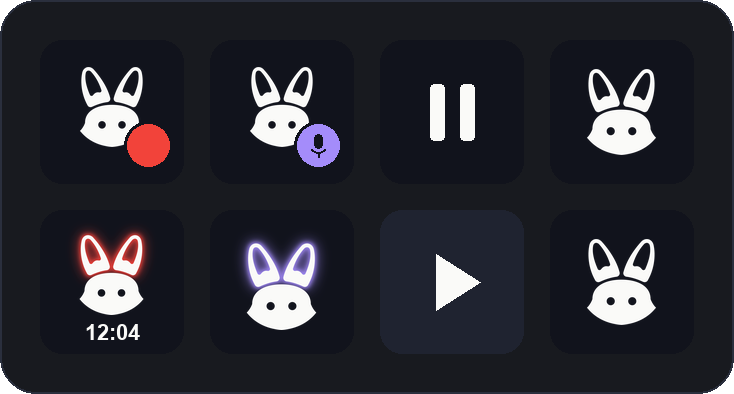
Four keys that light up while Lux works: Record turns red and shows the time, Dictate turns violet (tap to start and finish, or hold while you talk), Pause, and Open Lux.
- Install Lux and the Stream Deck app.
- In Lux, Settings → General → Stream Deck → Install plugin, then click Install in Stream Deck.
- Drag the Lux keys from the list on the right onto your deck.
Connecting Claude (or ChatGPT)
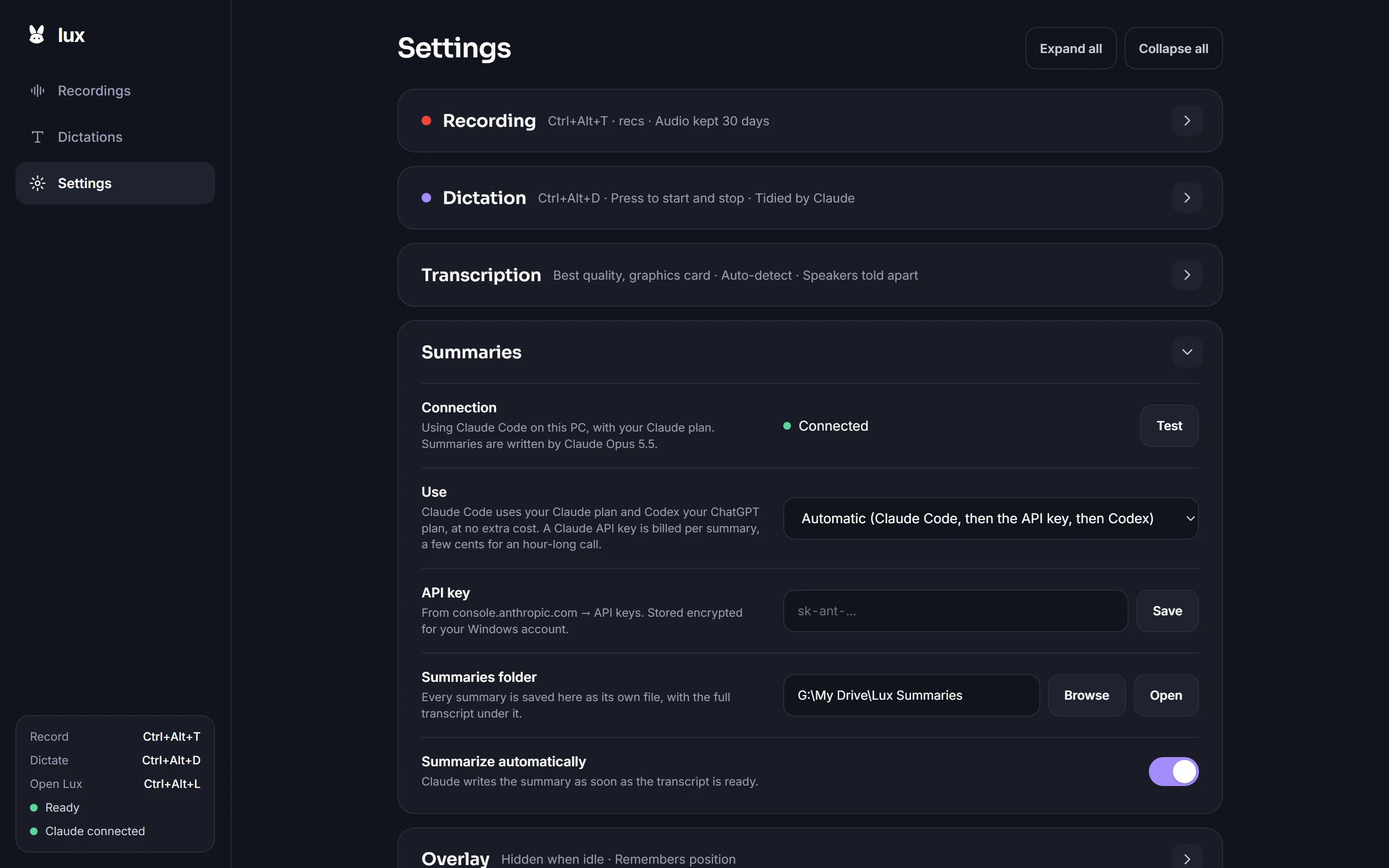
Summaries and dictation tidy-up are written by Claude (Claude Opus 5.5), or by ChatGPT if that's what you pay for. Transcription doesn't need either; it all runs on your computer. Connect once, in Settings → Summaries.
With your Claude plan
If you have Claude Pro or Max, install Claude Code and sign in once. Lux uses it, at no extra cost.
Settings → Summaries → Install Claude Code does it for you, step by step: a PowerShell window (Terminal on a Mac) installs it and opens the sign-in. (The Claude desktop app's built-in copy can't be used by other apps.)
With an API key
Create a key at console.anthropic.com and paste it into Lux. It's billed per use: a few cents for an hour-long call. The key is stored encrypted for your account (in the keychain on a Mac).
With ChatGPT instead
On ChatGPT Plus, Pro or a work plan? Settings → Summaries → Install Codex installs OpenAI's Codex and opens the ChatGPT sign-in. Lux then uses your ChatGPT plan for summaries and tidy-up, at no extra cost.
Installing Lux
Windows will warn you on first run
The installer isn't code-signed. A certificate costs a few hundred dollars a year, which is hard to justify for
something shared with friends. Click More info, then Run anyway. You'll only see it once.
It installs under your own account (no admin password), starts with Windows if you like, and uninstalls from
Settings → Apps.
On a Mac, macOS needs a few clicks the first time
Open the disk image and drag Lux onto Applications. The first time you open it, macOS says it can't
check the app (it isn't signed with an Apple developer account): click Done, then
System Settings → Privacy & Security, scroll down, and click Open Anyway. Then click
Allow when macOS asks about recording system audio and the microphone, and turn Lux on under
Accessibility the first time you dictate, so it can paste. Lux lives in the menu bar.
The first transcription downloads the speech model
Once, about 3.6 GB on a PC with a good NVIDIA graphics card (the most accurate model plus NVIDIA's own files), or 0.5 GB on other PCs, where a lighter model runs on the processor and takes about half as long as the call. On a Mac it runs on the graphics chip: 3.1 GB for the most accurate model, an hour-long call in about 10 minutes on an M4 Pro.
| Stays on your computer | Audio, transcription, speaker detection. Nothing is uploaded except the transcript text Claude or ChatGPT summarizes (and the words you dictate, when tidy-up is on). |
|---|---|
| Needs | Windows 10 (2004 or later) or 11, 64-bit, or a Mac with Apple silicon (M1 or later) on macOS 14.4 or newer, and a microphone. A Claude plan, Claude API key or ChatGPT plan for summaries. |
| Saves | Each call in its own folder (You.ogg, System.ogg, the transcript) in
Documents\Lux Recordings (Documents/Lux Recordings on a Mac); summaries as text files in a folder you pick. |
| Won't | Paste into apps running as administrator on Windows (Windows doesn't allow it). The text is kept in the app's Dictations list instead. |
Settings and the log are kept in
%LOCALAPPDATA%\LutzStack\Lux (on a Mac, ~/Library/Application Support/LutzStack/Lux) (Settings → General → Open log folder). Built on
faster-whisper and OpenAI's Whisper model (MIT licence), sherpa-onnx with pyannote and WeSpeaker for telling
speakers apart, and Anthropic's Claude. Elgato Stream Deck is a trademark of Corsair.