/ tools / pdx
 PDX
- Simple
- Functional
- Fast
- Free
A PDF viewer and editor for Windows and Mac that opens in a second and does what you actually need. No account, no subscription, no upsell.
What it looks like
Pick your signature, click the page, done.
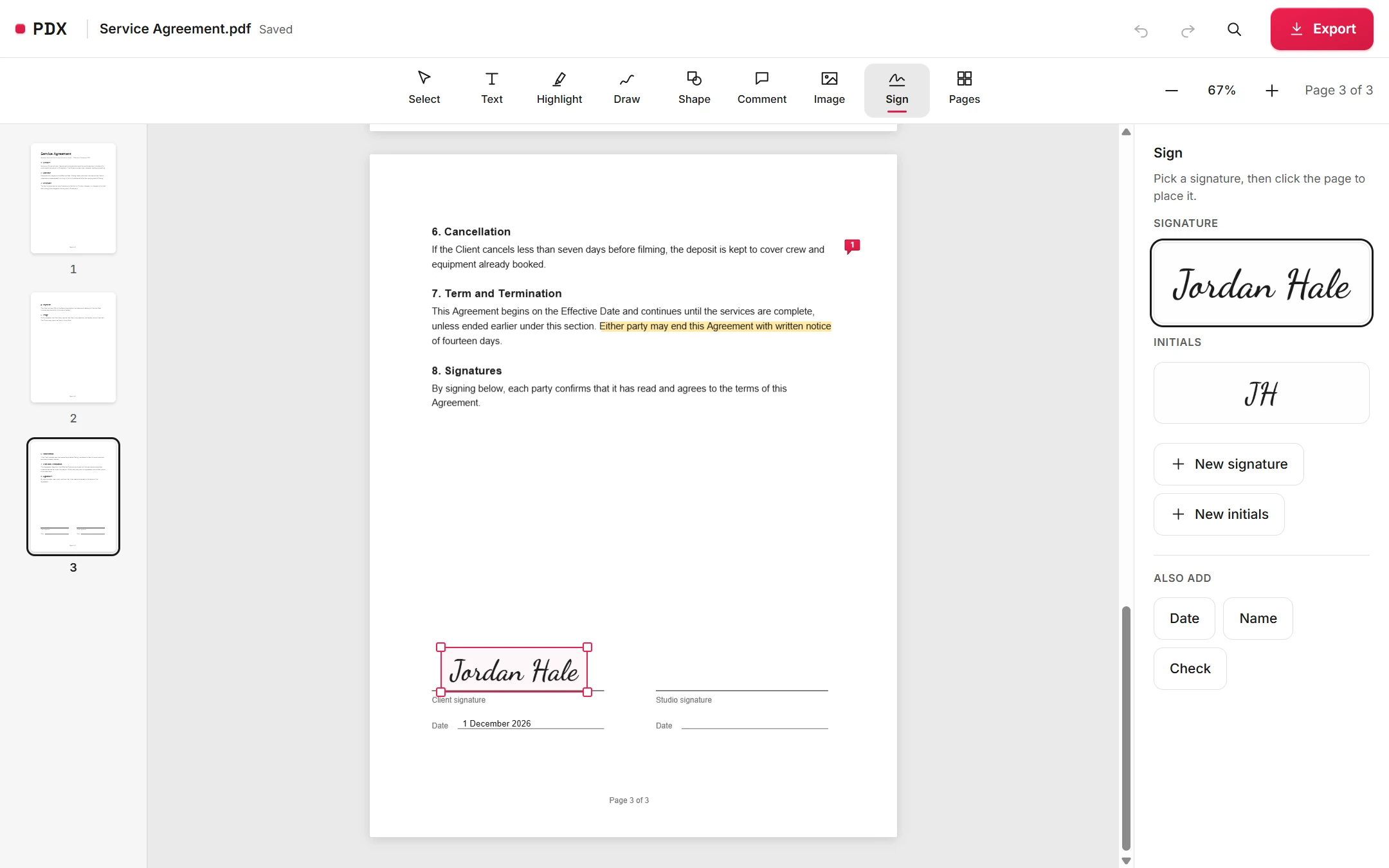
- Sign: draw, type or upload, saved for next time
- Fill in forms
- Text, highlights, drawing and shapes
- Comments other PDF readers show too
- Pages: reorder, rotate, insert, merge, extract, delete
- Search, print, save pages as pictures
Installing
On Windows, it will warn you on first run
The installer isn't code-signed. Click More info, then Run anyway. It installs under your
own account (no admin password) and can add PDX to Open with for PDFs. New versions download and install
from Settings → Updates.
On a Mac, macOS needs a few clicks the first time
Open the disk image and drag PDX onto Applications. The first time you open it, macOS says it can't
check the app (it isn't signed with an Apple developer account): click Done, then
System Settings → Privacy & Security, scroll down, and click Open Anyway. To open PDFs
in PDX: right-click a PDF in Finder, Get Info, Open with PDX, Change All…